

The AI Agent is available on all paid plans. Learn more about our plans and pricing.
Pricing
The AI Agent is billed using AI credits, which are expressed in USD. $1 in AI credits = 1USD of AI usageWhat’s included per paid seat (monthly AI credits)
Each paid seat adds monthly AI credits to your workspace:- Cadet: $5/seat/month in AI credits
- Voyager: $16/seat/month in AI credits
- Enterprise: $40/seat/month in AI credits
AI credit rules
- Monthly credits reset each month (they don’t roll over)
- Credits are shared across your workspace
- Monthly credits are used before any top-ups
- Top-up credits don’t expire
AI credit top-ups
When your workspace runs out of available AI credits, the agent stops accepting new prompts until:- Your monthly AI credits reset, or
- You add an AI credit top-up
Getting Started
Open the Agent panel from the left sidebar and type a prompt describing what you want. Start by describing what you want in plain language. Example prompt:Create a script that draws a rounded rectangle. Width, height, color, and corner radius should be inputs. When the inputs change, the drawing should update.The Agent explains what it changed, creates any necessary scripts, and suggests ways to refine the result. If a new script is generated, you’ll find it in your Assets panel.
Toolbar
Use the AI Agent toolbar to manage your conversations: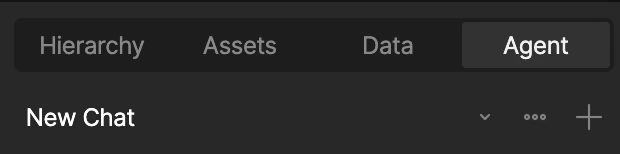
- New Chat – Start a new chat thread without losing your past conversations
- Toggle Chats – Go back to old chats
- Close Chat – Close the chat without losing your history